
Live karaoke · For Android tablets, phones and TV sticks
olw-player Android
Your karaoke in your pocket. MIDI, KAR, MP3, CD+G and video on Android, with lyrics on screen, on the audience's phones or on the TV.
Download the Android appInstallation from the website · Android
The same spirit as olw-player, made for those who play and sing on the go. Open the folder with your songs, tap the title and go: no computer to carry, no cables you have to plug in. Your tablet becomes your karaoke console.
Why it sounds better
A MIDI file is not a sound: it is a set of instructions, and the result depends on what plays them. Many players hand the song to the phone's basic synthesizer, which changes from one device to another. olw-player brings its own FluidSynth, a SoundFont synthesizer: it plays with the SoundFont you choose, and the sound is the same on every tablet and phone.
On top of that, the app corrects the MIDI as it plays it, without ever changing the original file:
A more natural performance
Clean-up of hanging notes and sustain, corrections specific to each instrument family, humanized velocities, a light groove on mechanical parts, a more even piano dynamic.
More believable instruments
Wind breath (breath, vibrato, legato), guitars with string tails, levelled distorted guitars with an intensity slider, finger noises removed, choirs turned into strings.
A balanced mix
Levels balanced between channels and families, parts doubled in unison or at the octave reduced, double hits and abnormal drum panning fixed, peak protection.
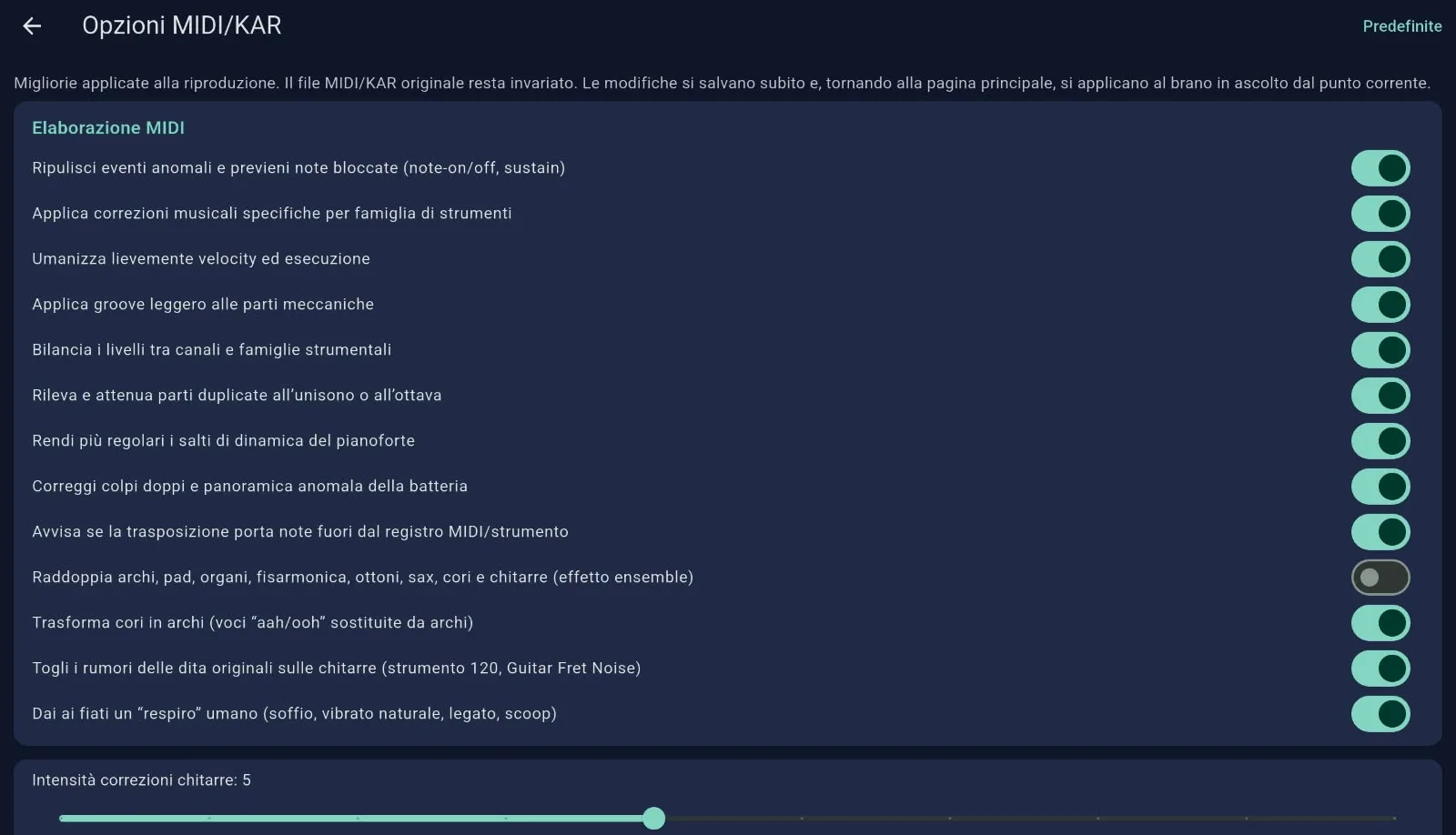
The app's MIDI/KAR Options: every correction can be switched on or off, and the original stays untouched.
Space and character of the sound: reverb (room, large room, cathedral), chorus, brightness, bass, low-mid and treble boost, warmth, stereo widening and light mix compression. Every option can be switched on or off, and changes are heard right away on the song that is playing.
These corrections apply to MIDI and KAR songs. On MP3 and video, the sound effects apply if the device has an equalizer. The effects are obtained by modifying the MIDI, not through the audio engine (where needed): details and limits are in the olw-player Android guide.
The app's strengths
All your formats
MIDI, KAR, MP3, CD+G (an MP3 with its .cdg) and video. One program for the whole evening, from the MIDI backing track to the ready-made karaoke video.
Your SoundFont
Choose the .sf2 file you prefer and it is remembered. Don't have one? Download the FluidR3 GM bank, the same one used in our computer apps, with a permissive license. You can pick the style, the drum kit and the ambience, adjust the volume and change the key without changing the speed.
The audience sings along
Guests' phones connect with a QR code, straight from the browser with nothing to install, and show the lyrics in real time. Nobody has to crane their neck towards the screen.
Lyrics and video on a TV
Send lyrics and video to a TV or an Android stick on the same Wi-Fi network: the other device works as a screen and the tablet stays in the hands of whoever runs the evening.
Folders and playlists
Choose the folder with your songs, subfolders included, and build playlists. No invasive permissions: the app reads only the folders you point it to.
It just works
Synchronized lyrics word by word, vertical scrolling, built-in help and an interface in Italian and English.
How to use it
- Download the app from the download page and install it on your tablet or phone.
- Choose your SoundFont (
.sf2) and the folder with your songs: the app finds them and builds a playlist. - Tap a song and press Play. To let the audience read the lyrics, show the QR code: phones connect from the browser.
Installation from the website. Android asks you to allow installation from "unknown sources" for the browser you download the file with: this is normal for apps that do not come from a store. On a Fire Stick you can use the Downloader app with the address of the download page. Google Play is on its way.
Support
Phone
351 947 4127, on weekdays during office hours